How to Prove When and Where a Photo Was Taken
By Todd Lahman ·
A homeowner says the water stain was on the ceiling before your crew arrived. You have a photo of a dry ceiling, but its date is only as strong as what stands behind it. To prove when and where a photo was taken, keep the original file, know who took it, and record a fingerprint of the file with an independent timestamp soon after the shutter. Each kind of record shows something different. This guide explains what metadata, GPS, fingerprints, timestamps and signed photos each show and don't, with sources, and the steps to take on site.
What does a photo's metadata record?
Most phone and camera photos carry EXIF (Exchangeable image file format) metadata, which includes when and where they were taken. In the Exif standard, the DateTimeOriginal tag holds "the date and time the picture was taken", a separate tag holds the offset from UTC, and the GPS tags hold the "latitude of shooting location" and its longitude (CIPA, Exif 3.0). A different tag, DateTime, is "the date and time the file was changed", so it is easy to read the wrong date.
The position comes from the phone. Apple says the Camera app works it out from "cellular, Wi-Fi, GPS networks, and Bluetooth" (Apple). Under open sky, smartphones are "typically accurate to within a 4.9 m (16 ft.) radius", and "their accuracy worsens near buildings, bridges, and trees" (GPS.gov). Exif has a tag for that margin too: it "indicates horizontal positioning errors in meters" (CIPA).
To see what a photo of yours records, drop it on the free EXIF viewer. The photo timestamp checker explains which of its dates is which. Both run in your browser, and nothing is uploaded.
Can the date and location on a photo be changed?
Yes. On an iPhone, the Photos app lets you "change certain stored data such as the date, time, and location", for one photo or for a batch (Apple). ExifTool, a free tool for "reading, writing and editing meta information", can shift DateTimeOriginal and add GPS tags to a file (ExifTool, geotagging). So the date and place in a file show what the file says today, not what happened at the shutter.
A date printed on the picture is part of the image, and images can be edited too. A federal court in Maryland put it this way: digital photographs "may be manipulated and altered" (Lorraine v. Markel).
Sharing changes what travels with a photo. On an iPhone, "Sharing a photo or video includes sharing its associated metadata, such as date and time, location, device, and captions" (Apple), and the share sheet's Options can leave the location out (Apple). Google Photos does the opposite: "new albums, links, conversations, and other items you share do not include location details by default" (Google). The copy someone receives may not carry what your original does, so keep the original.
How do courts decide whether a photo is authentic?
In US federal courts, whoever offers a photo must produce "evidence sufficient to support a finding that the item is what the proponent claims it is" (FRE 901). The usual way is a person who was there. In Lorraine v. Markel American Insurance Co. (D. Md. 2007), the court wrote that an original digital photograph "may be authenticated the same way as a film photo, by a witness with personal knowledge of the scene depicted who can testify that the photo fairly and accurately depicts it" (GovInfo).
Rule 901 lists other ways as well: an item's "distinctive characteristics", and "Evidence describing a process or system and showing that it produces an accurate result". The same opinion calls metadata a useful way to authenticate a file, but "not foolproof". And the judge decides "any preliminary question about whether a witness is qualified, a privilege exists, or evidence is admissible" (FRE 104).
Other countries set their own rules. Australia's federal Evidence Act presumes that a device which "ordinarily produces that outcome" did so on the occasion, "unless evidence sufficient to raise doubt about the presumption is adduced" (section 146), and it "applies to all proceedings in a federal court" (Evidence Act 1995). Singapore presumes the same of an electronic record from a device that "if properly used, ordinarily produces or accurately communicates an electronic record" (section 116A, Evidence Act 1893). How any of this applies to your job is a question for a lawyer where you work.
What does a file fingerprint show?
A hash such as SHA-256 turns a file into a short string of letters and digits, its fingerprint. NIST's standard says these digests "are used to detect whether messages have been changed since the digests were generated", because "any change to the message will, with a very high probability, result in a different message digest" (NIST FIPS 180-4). The committee note to the federal rules agrees: "identical hash values for the original and copy reliably attest to the fact that they are exact duplicates" (FRE 902).
A fingerprint shows that two files are the same, byte for byte. It doesn't show when or where the photo was taken, or that the scene was what it seems. The same note adds that "The opponent remains free to object to admissibility of the proffered item on other grounds". To work out a photo's fingerprint, or to compare two files, use the free photo fingerprint tool.
What does a trusted timestamp add?
A fingerprint has no date of its own, and a trusted timestamp gives it one. Under the Internet standard RFC 3161, "A time-stamping service supports assertions of proof that a datum existed before a particular time", and the timestamp authority receives only "a hash representation of the datum", never the photo (IETF RFC 3161).
Timestamp a photo's fingerprint, and you can show that the file existed, exactly as it is, by that time. The timestamp is an upper bound only: the photo may be older than the stamp, and the stamp says nothing about where it was taken. That is why the gap between the shutter and the timestamp matters. A timestamp made minutes after capture narrows the window far more than one made a month later.
Do phones sign photos when they are taken?
Some new phones do. Content Credentials, from the C2PA standard, are signed records that travel with a file. They "can include information about how the content was created, what tools or processes were used, when and where it was made, and how it has changed over time", and any change to the file "will break this cryptographic linkage, signalling tampering" (C2PA). Google's camera app on the Pixel 10 "attaches Content Credentials to any JPEG photo capture" (Google, 2025). Apple's iPhone 18 Pro has a Reference mode, "off by default", in which the camera captures "securely timestamped sensor data" (Apple, 2026).
Each of these works on its own phones, in its own camera app, with its own setting. A signed record can also part from its file: C2PA's FAQ says manifests "can be separated". And the location still comes from the phone. The C2PA specification says "the signer is not responsible for the accuracy of a GPS location appearing in EXIF metadata" (C2PA specification 2.4).
Steps that make a photo's time and place easier to show
- Turn on Location Services for the camera before the job, so each photo carries its position (Apple).
- Keep the original file. Copies passed through apps can lose their location, and an edited copy needs more support: for an enhanced photo the Lorraine court asked for proof "that the digital enhancement process produces reliable and accurate results".
- Note who took each photo. A witness with personal knowledge of the scene is how the Lorraine court said a digital photo may be authenticated.
- Record the date and place with the photo. The Washington State DOT says job photos "should clearly note when and where they were taken (date and project location)" (WSDOT Construction Manual). The New York State DOT takes them "before, during, and after construction to help document progress and avoid disputes concerning pre-existing conditions" (NYSDOT).
- Photograph damage before cleanup. FEMA's flood insurance site says to "Take clear pictures and videos of damaged items before cleaning, fixing or throwing them out" (FloodSmart).
- Fingerprint and timestamp the file soon after capture, and keep the timestamp with the file.
- Tell your crew what the camera records. Some laws require written notice before an employer monitors employees electronically. Connecticut's covers monitoring by camera and "photo-optical systems" on the employer's premises (Conn. Gen. Stat. § 31-48d). Check the rules where you work.
Where Worksite Photos fits
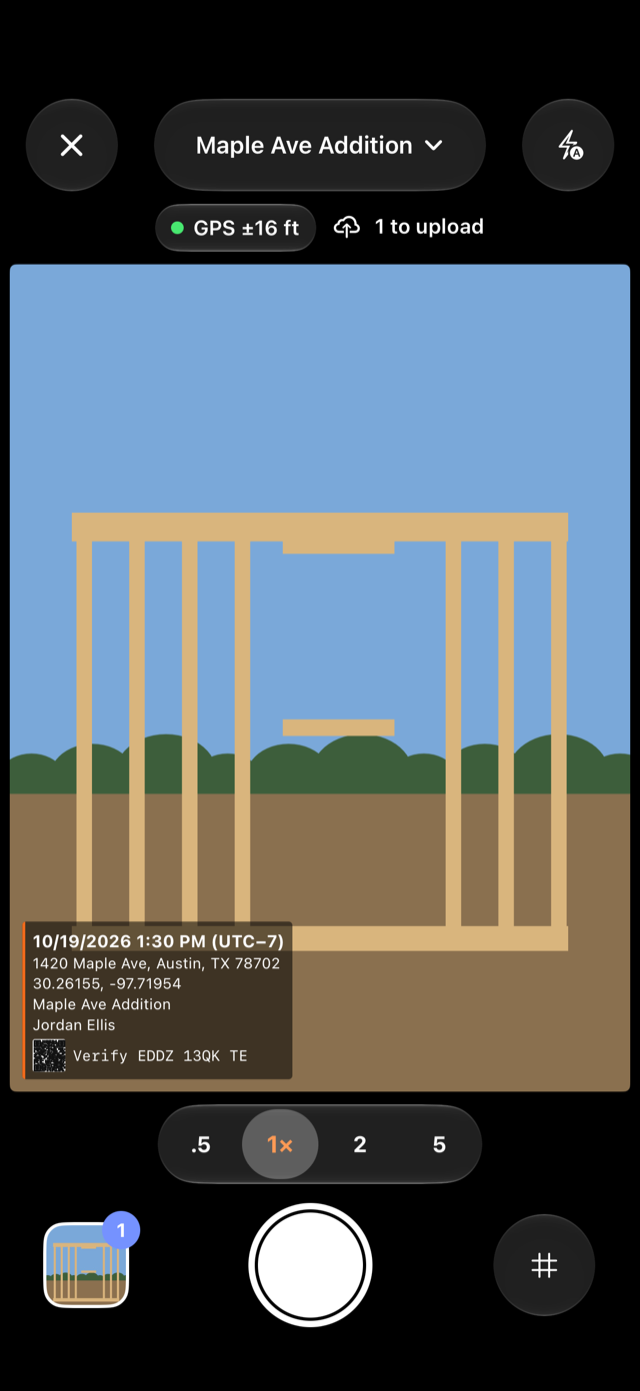
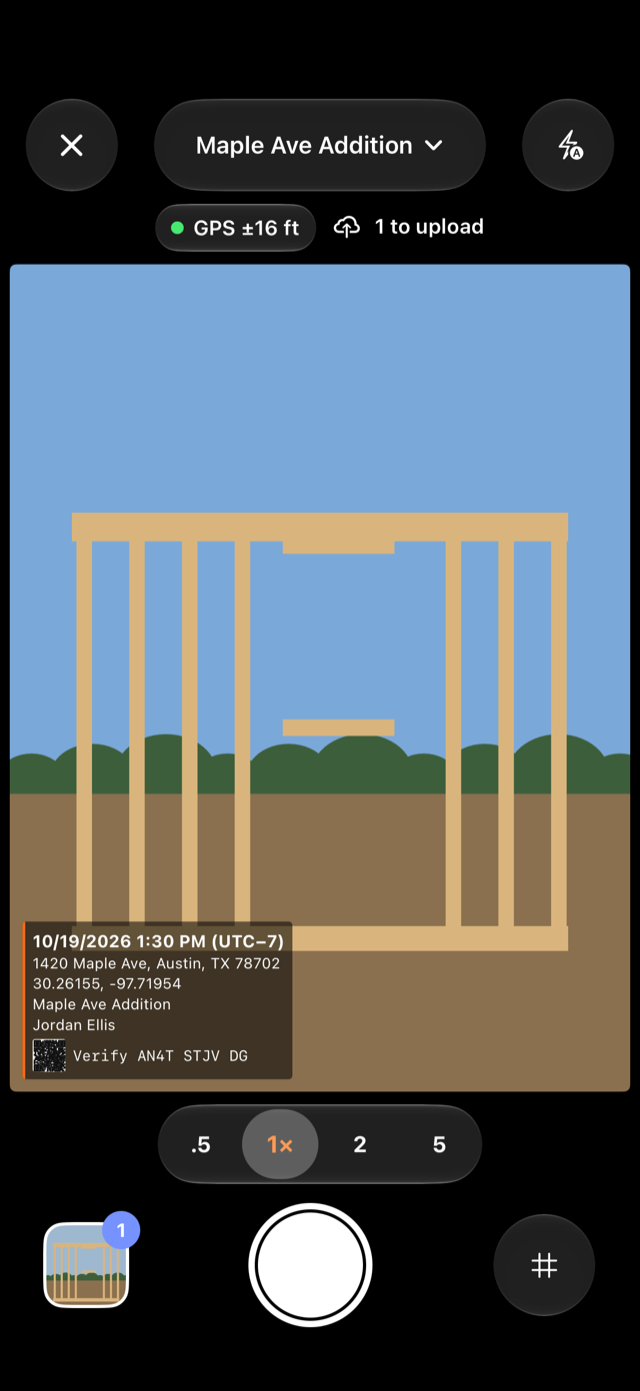
Worksite Photos takes these steps when the shutter fires. The phone works out the original's SHA-256 fingerprint the moment the photo is taken and keeps the original as captured. Each photo's record lists the phone's time, the GPS position with its accuracy, and where the address came from: looked up from the GPS fix, typed by hand, or the project's own. Our server signs the record, and an independent timestamp authority dates it, usually within ten minutes of the upload.
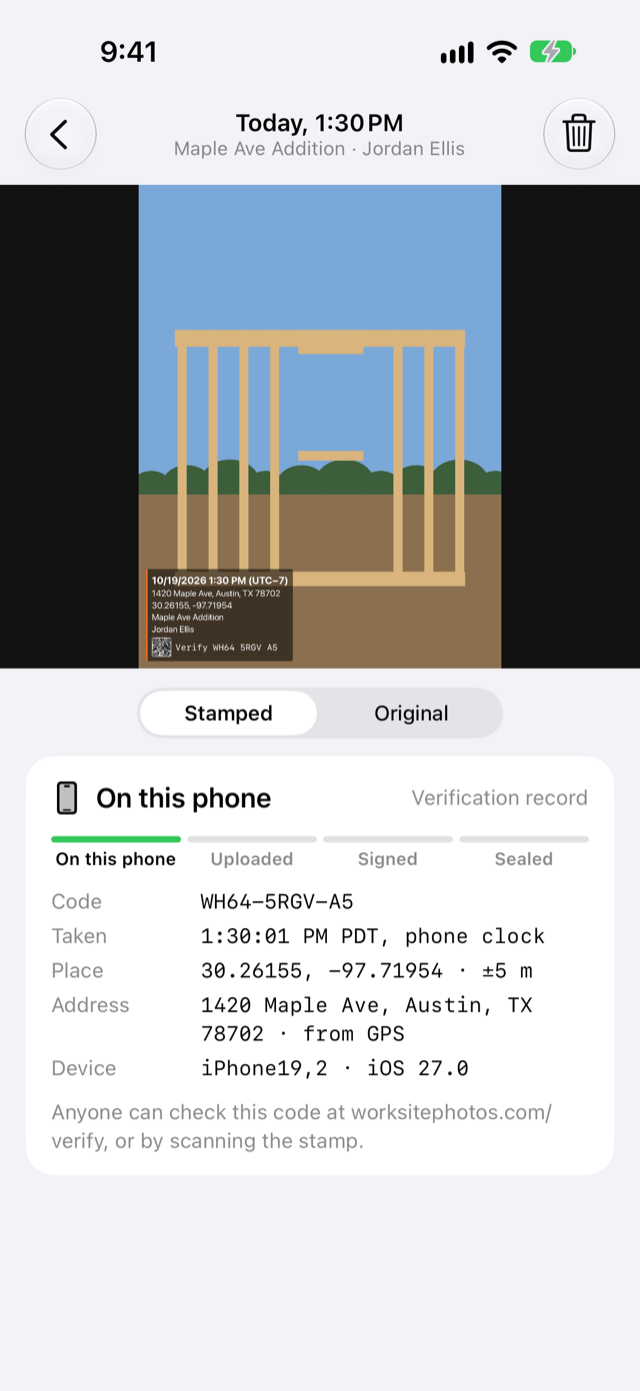
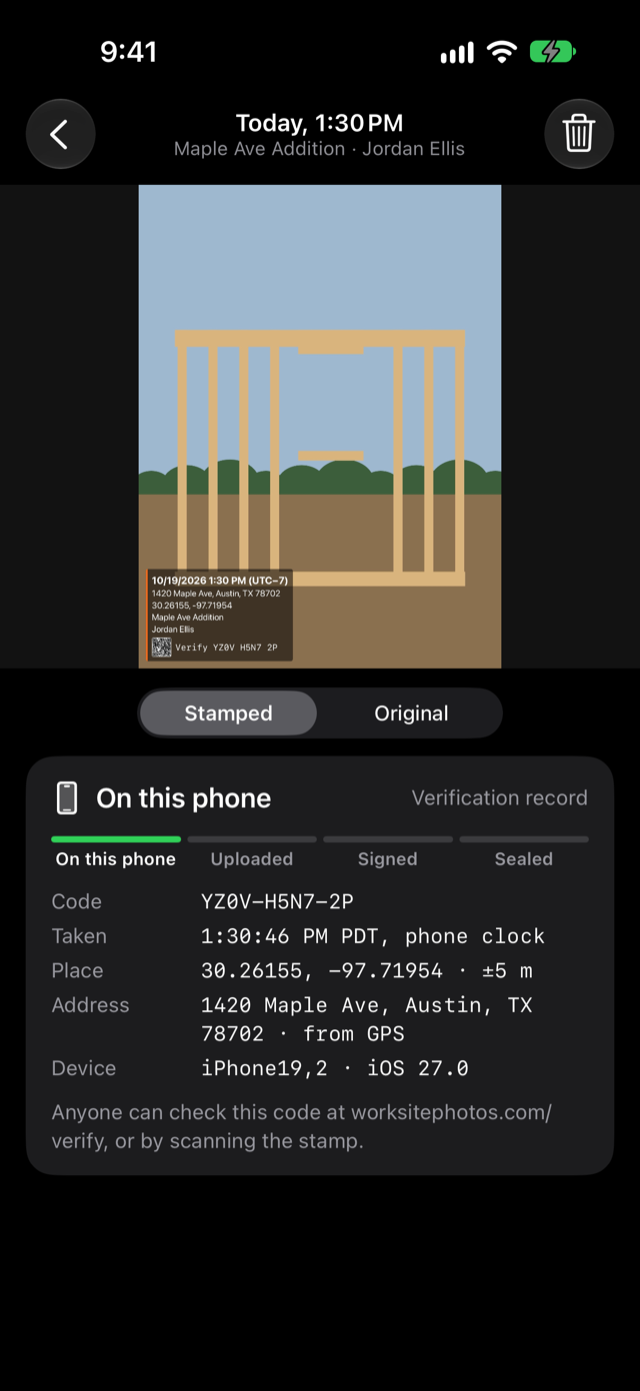
Anyone can check a photo at worksitephotos.com/verify by dropping the file or typing the code printed on its stamp. The page shows the phone's time, the time our server received the photo and the timestamp authority's time side by side, and it gives you what you need to repeat the checks offline with standard tools.
Sources
- CIPA and JEITA, Exif Version 3.0 (CIPA DC-008-2023), 2023.
- Apple, Manage location metadata in Photos (Personal Safety User Guide), 2026.
- Apple, See photo and video information on iPhone, 2026.
- Apple, Share photos and videos on iPhone, 2026.
- Apple, Use Apple Reference Image to capture photos and verify they were taken on iPhone 18 Pro, 2026.
- GPS.gov, GPS Accuracy, accessed 2026.
- ExifTool, exiftool application documentation and Geotagging with ExifTool, version 13.59.
- Google, How Google Photos protects your location data, accessed 2026.
- Google, How Pixel and Android are bringing a new level of trust to your images with C2PA Content Credentials, 2025.
- U.S. District Court for the District of Maryland, Lorraine v. Markel American Insurance Co., 241 F.R.D. 534, 2007.
- Cornell Legal Information Institute, Federal Rules of Evidence Rule 104, Rule 901 and Rule 902 with its committee notes, 2026.
- Federal Register of Legislation (Australia), Evidence Act 1995, Compilation No. 35, 2025.
- Singapore Statutes Online, Evidence Act 1893, section 116A, 2026.
- NIST, FIPS 180-4, Secure Hash Standard, 2015.
- IETF, RFC 3161, Time-Stamp Protocol, 2001.
- C2PA, FAQs, and Technical Specification 2.4, 2026.
- Washington State DOT, Construction Manual M 41-01, chapter 10, 2026.
- New York State DOT, Contract Administration Manual, section 90, 2022.
- FEMA, National Flood Insurance Program, How to document flood damage, accessed 2026.
- Connecticut General Assembly, General Statutes § 31-48d, 2026.
Frequently asked questions
Is EXIF data proof of when a photo was taken?
EXIF data records when and where the camera says a photo was taken, but it can be edited. Apple's iPhone guide says the Photos app can change a photo's date, time and location, and free tools such as ExifTool can rewrite those tags. In Lorraine v. Markel, a federal court called metadata a useful way to authenticate a file but "not foolproof".
Does a timestamp prove where a photo was taken?
No. Under the RFC 3161 standard, a trusted timestamp shows that a file existed before a particular time. It says nothing about the place. The location comes from the phone, and GPS.gov says smartphones are typically accurate to within 4.9 meters (16 feet) under open sky, and less accurate near buildings, bridges and trees.
Can the date on an iPhone photo be changed?
Yes. Apple's iPhone User Guide says the Photos app can change "certain stored data such as the date, time, and location", for a single photo or a batch of photos. That is why the date in a file shows what the file says today, not what happened when the shutter fired.
Who decides whether a photo is accepted as evidence?
In US federal courts, the judge decides whether evidence is admissible, under Federal Rule of Evidence 104. Rule 901 asks for evidence sufficient to support a finding that a photo is what it is claimed to be, often a witness who knows the scene. Metadata, fingerprints and timestamps can support that; they don't decide it.
Do phones sign photos when they are taken?
Some new ones do. Google says the Pixel 10's camera app attaches C2PA Content Credentials to any JPEG photo it takes, and Apple's iPhone 18 Pro has a Reference mode that is off by default. The C2PA specification notes that the signer is not responsible for the accuracy of a GPS location in a photo's EXIF metadata.
Photos that show when and where
Worksite Photos stamps each photo with its time, GPS position and address as you take it, and anyone can check it at worksitephotos.com/verify.
Disclaimers
Not legal or insurance advice. This article is general information only. It is not legal, insurance, tax, safety or other professional advice, and reading it does not create a lawyer-client or any other professional relationship. Laws, building codes, insurance policies and contracts differ from place to place and change over time. For your situation, ask a lawyer, your insurer or a licensed adjuster, or your local building authority.
About the app. Worksite Photos records when and where each photo was taken and lets anyone check that the photo hasn't changed since. Whether a photo or its record is accepted as evidence, or settles a claim or a dispute, is decided by the court, insurer or other party that weighs it.
Location and privacy. A photo records where it was taken, not where a person goes. If you employ the people taking photos, tell them what the app records; some places require written notice to employees, or their consent, before an employer collects their location. Respect the privacy of the people and property you photograph.
Accuracy. We link our sources so you can check them. Laws, codes and guidance change, and this article reflects its sources as of its last update. It may not cover every situation.
Disclosure. The author, Todd Lahman, is the developer of Worksite Photos, the app mentioned in this article, and this site is published by Todd Lahman LLC. No one paid for this article, and it contains no affiliate links.
Trademarks and links. CompanyCam, Timemark and other product names mentioned are trademarks of their respective owners, used only to describe their products. Worksite Photos is not affiliated with or endorsed by them. Links to other websites are for reference, and we don't control their content.
Use of this site is subject to our Terms of Service and Privacy Policy.