When someone says the work wasn't done, your photos prove it was.
Jobsite photos with a verifiable timestamp, GPS location and project address. Organized by project, exported as a PDF or share link a client can't argue with. Timestamp, location and a cryptographic seal on every shot, so the photo is the proof.
Free to start. One plan at $9.99 per user a month, or $8.25 billed yearly. Client viewers are always free.
How the proof works
A timestamp typed onto a photo proves nothing. A seal made at capture and anchored to an outside clock does.
Try to fool it
Change one pixel and verification fails. Ten seconds, no account. This is what your client, the adjuster or the other side's lawyer sees.
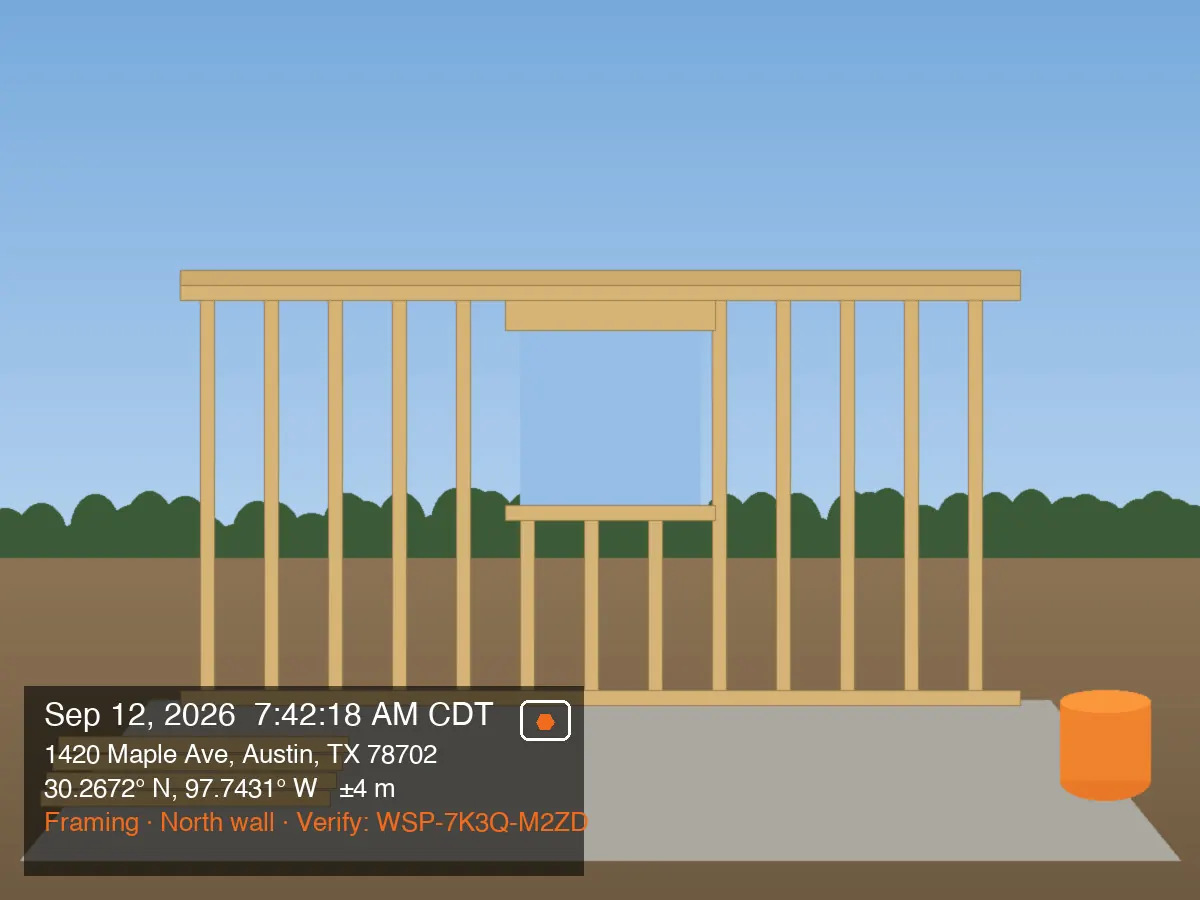
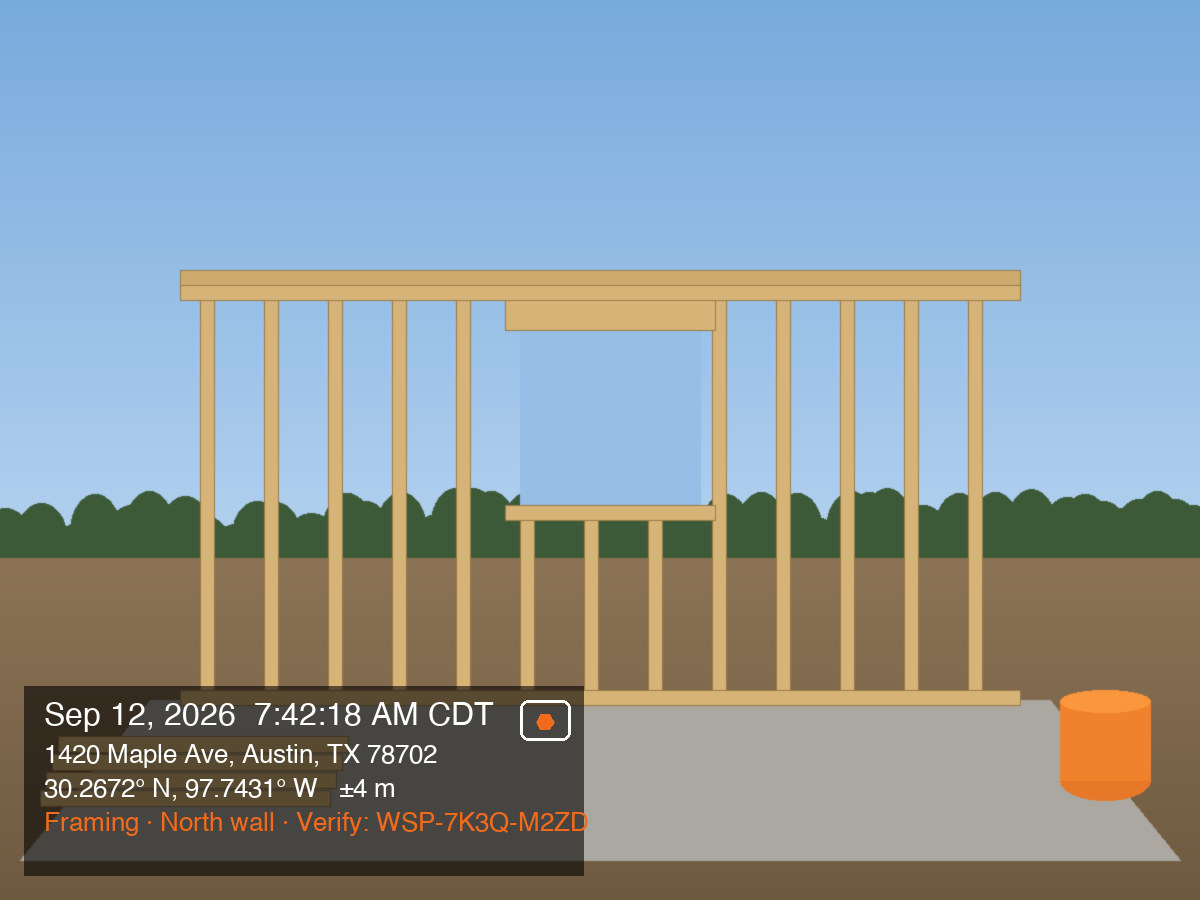
- 1. Verify the photo. The fingerprint is computed in your browser and compared with the record.
- 2. Download it, open it in any editor, change one pixel, save.
- 3. Drop the edited copy here and watch verification fail.
Eight promises the big apps don't make
Proof that survives a dispute
Every photo is hashed the instant it is captured, anchored to a trusted timestamp, and signed. Anyone can check it on a public verify page.
Originals, always
Full resolution, EXIF intact. Your originals are yours to download at any time.
Never lose a photo
Local-first queue with automatic retry, a queue you can see, and every shot written to your camera roll.
The address you control
The stamp shows the address found from GPS. If it is wrong, type the right one, free on every plan, or add your own address next to the GPS data.
Zero friction in the field
No upsell pop-ups, no review nags. One-handed capture that works with gloves on, offline by default.
Clients are free
Unlimited client viewers on every plan, no account needed. On Team, a subcontractor seat costs the same $9.99 as your own crew and opens only the projects you assign.
Your data on exit
Export every original and every PDF, even after you cancel. No lockouts.
No sales calls, ever
Published prices. Self-serve signup. Cancel from the app.
One plan. One price per user.
Free to start with three projects. One person or twenty, the price per user is the same, crew or subcontractor. Clients never pay.
- 1 user, 3 active projects
- Verified capture with a public verify page
- Originals kept at full resolution
- Every photo saved to your phone and your own Drive
- 100 photos kept in the Worksite Cloud
- PDF reports with our mark, plus Excel, ZIP and Google Earth exports
- Unlimited free client viewers
For one person or a whole crew
$8.25 USD / user / month
Billed $99 per user per year
- Unlimited projects and photos
- Teams, roles and a shared project list
- Subcontractor seats limited to the projects you assign
- Branded PDF reports, report templates and checklists
- Every export: PDF, Excel, ZIP of originals or stamped copies, Google Earth
- Share links with expiry and access history
- Worksite Cloud storage that grows with your team: 100 GB per user, pooled across everyone, so each user you add brings 100 GB more
- Centralized billing and priority support
Add-ons for Team
Switch one on when you need it, and off when you do not.
More storageAt launch
Add 250 GB at a time on top of the 100 GB per user your team already shares, whenever you choose, with no upper limit.
Integrations packComing later
QuickBooks, Jobber, JobNimbus, Zapier and the API.
Report automationComing later
Reports that build and send themselves on a schedule.
AI featuresComing later
Captions, summaries and search across your photos, billed by use.
Why it costs more than Timemark
Timemark Business is $7 per user a month. Worksite Photos is $9.99, or $8.25 billed yearly. The difference is what holds up when a customer, an adjuster or a lawyer pushes back.
The date gets questioned
A homeowner says the leak was there before you started. You send one link.
Worksite Photos
- The photo's fingerprint proves it is the original. Change one pixel, the date or the location, and the fingerprint no longer matches.
- An independent timestamp authority sealed that fingerprint when the photo was taken, so nobody can move the time afterwards, not you and not us.
- Anyone can run the check on the verify page, with no account and without trusting Worksite Photos.
Timemark: Its check looks the photo's code up in Timemark's own records. Nothing is computed from the file itself, so the proof rests on trusting Timemark.
CompanyCam: It prints the time on the photo and offers no way to check it. A printed time is pixels that any editing app can retype.
Nothing gets lost or shrunk
The signal drops on a roof, or an adjuster asks for the original file.
Worksite Photos
- Every shot is saved to your camera roll first, before anything else happens.
- Uploads retry on their own until they land, and you can see what is still waiting.
- The Worksite Cloud keeps the original at full resolution with its EXIF data, and the fingerprint proves it is the same file.
Timemark: Users report photos that show in the app but were never saved to their phone.
CompanyCam: Users report uploads stuck with no retry, and images scaled down.
You can leave with everything
You cancel, or a client asks for every photo from the job.
Worksite Photos
- Export every original, record and report whenever you like, and for 90 days after you cancel.
- Clients and adjusters open your share links free, with no account, and every view is counted.
Timemark: What you keep after cancelling depends on your own Google Drive or OneDrive backup.
CompanyCam: Users report projects locked away when a trial ended.
What a crew of three plus two subcontractors pays each month
- Worksite Photos Team
- $41.25
- billed yearly, or $49.95 monthly
- Timemark Business
- $35
- without proof anyone can check
- CompanyCam
- $179 to $187
- $29 for each extra seat
About $6 a month more than Timemark on yearly billing turns every photo into evidence you can hand over. Against CompanyCam, the same crew saves at least $129 a month. Compare with Timemark · Compare with CompanyCam
Competitor prices from their published pricing; user reports from public app store reviews. Checked September 2026.
Hear about it the day it opens
Worksite Photos is not taking customers yet. Leave your email and we will write once, the day it does. The free tools work today.